Bellows, Bugs, and a Free Checklist!

Greetings everyone!

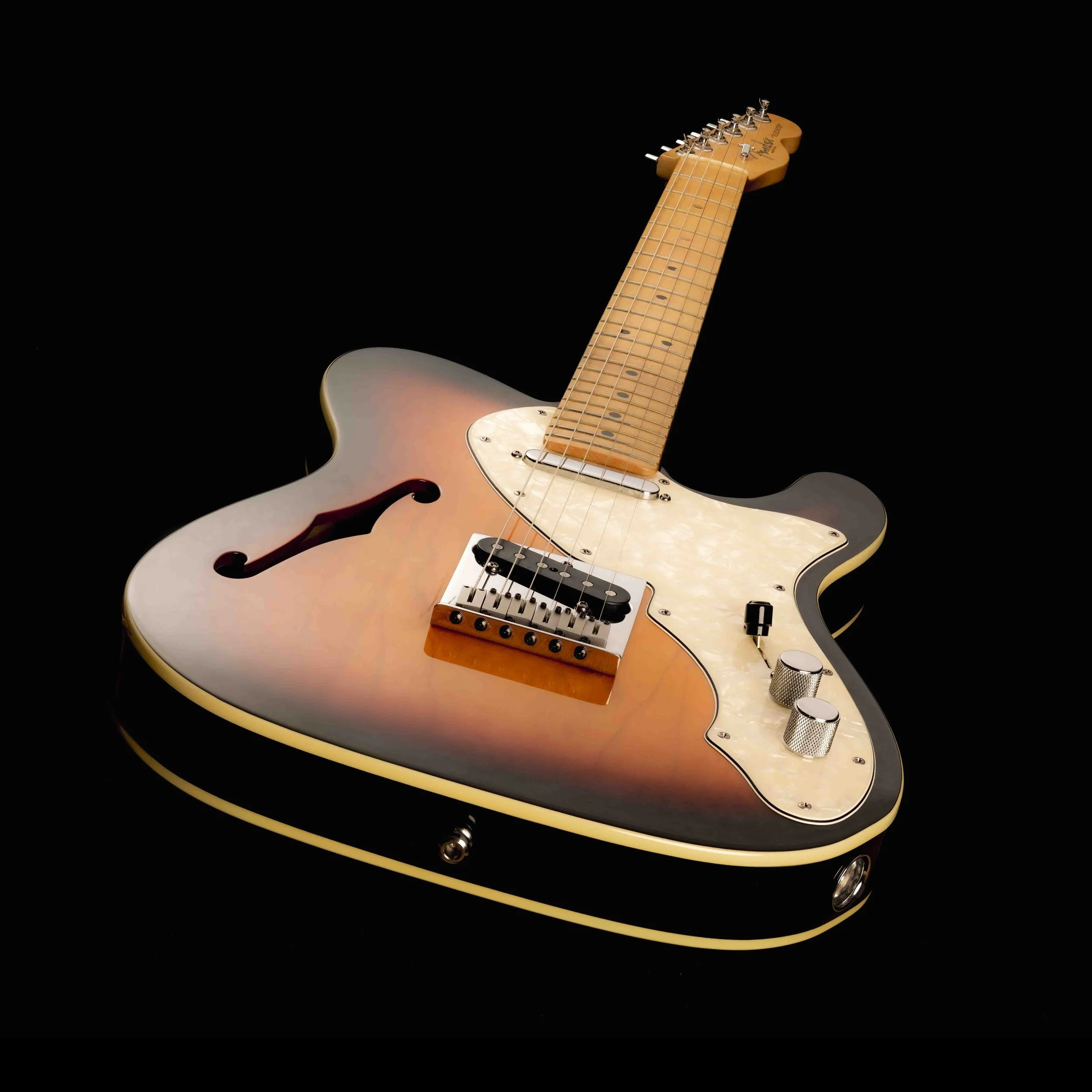
A product photograph


It has been another busy weekend, with a competition to judge and a results video to record and edit, but I loved every moment of it. Working on the “Product Photography” competition with Graham Carey was a clear highlight. He is a thoughtful and fair judge who calls it as he sees it while remaining generous and gentle in his balanced and constructive criticism. My channel and I are most grateful to Graham for his hard work and constant enthusiasm during this process. I should add that I cornered Graham and asked him to do this, but it does not have to happen that way! If you would like to join me as guest judge in an upcoming competition, you are invited to come forward and let me know. If you have been around macro photography for a while, or have experience judging competitions like this, and would like to spend a day or so looking at and talking about macro photographs with me - let me know and I will be in touch.


Congratulations to the winner of this month’s competition, and to everyone who entered. If you want to know who that might be, watch the results video, released earlier today. You can watch it over on YouTube by following this link … https://youtu.be/eBTz2HBWWUY

Another product photograph


In retrospect, this topic, product photography, was one of the hardest assignments I have given for this competition. Product photography is a fairly unique discipline for a couple of reasons - firstly, it is absolutely unforgiving  when it comes to accuracy and fidelity in your depiction of the product. Next, it demands that you have mastered the art of telling a story through images alone. Then it requires you to tell that story, without ambiguity or uncertainty, so that the product is the undisputed hero of the tale, and something that the viewer of the image will be drawn to and moved by. Remember that the product photograph exists for one reason - to influence the purchasing decisions of those who see your image. It is probably true that most casual viewers will not notice a slight softening in part of an image, or some noise in the darker parts of the composition. They may not be able to point out that the horizon is tilted this way, or that. But they will notice that there is something not quite right with the image. One doesn’t need to be a photo-critic to feel that something is off in an image, and that feeling is all it takes to leave the potential customer with doubts about the product.

And another


In this most recent competition, the task was to produce an image of a product of your choosing in such a way that viewers of the image would form an emotional connection to the item - they would want to have one. As I looked at the entries it quickly became apparent that I had failed to make this as clear as I should have. There were a number of issues that came up over and over again, some of which were related to technical photographic missteps, but most of which were a result of confusion over the prime directive of the product photograph. So I thought it might be useful to summarize the key points that came out of this exercise and provide some guidance to those who may feel the urge to enter a competition with a similar theme in the future.

So here we go - a checklist for the next product photo competition you want to enter (and win!).

PRODUCT PHOTOGRAPHY CHECKLIST

A Checklist for Non-product Photographers (or how to win a product photography competition)

This is a checklist for “studio” based product photography. It is only a partial list drawn from personal experience and from evaluating the work of students of photography. Some of this also pertains to other disciplines of studio still life photography but most is specific to this kind of work.


When faced with entering a competition like this, think hard about your subject and make sure you can answer all these questions in the affirmative:

1) Is it absolutely crystal clear what my subject is - can an ordinary person look at the object and know what it is?

2) if not, can I tell my viewer what they are looking at in one or two words?

3) can I make this object look desirable?

4) when someone looks at my product image will they have enough information to track down and buy the item?

When you have a promising subject/product lined up, you may proceed …


1) Product Selection -

          a) Select a subject that is, at least, potentially desirable to a broad range of people (not a tube of hemorrhoidal ointment, for example)

          b) Select a subject that can be identified clearly and unambiguously from the photograph you will take (e.g. a camera body with “Sony” and “A9” visible)

          c) Select a subject that is produced in sufficient quantity to justify the expense of an advertising campaign and expensive product photography (avoid unique items unless they are widely accepted as representative of a class of products)

          d) Select a subject that is less demanding to photography (avoid glass and polished metal, favor simple geometry and matt finishes)

2) Product Preparation and Staging

          a) Clean the product, then clean it again. Repeat until it is devoid of fingerprints, dust, or blemishes. Examine under a magnifying glass or microscope and repeat cleaning if needed.

          b) Remove cellophane of packing materials from all surfaces

          c) Use lint-free cotton gloves to clean and stage product

          d) Take product out of its package - packaging may be shown in the image if it is recognizable, unusually attractive or noteworthy, or is symbolic of brand

          e) Labels must be straight, unstained, not peeling, symmetrically positioned - soak, remove, and replace if needed

3) Product Positioning

          a) With rare exception, use a background that is neutral and unlikely to compete with the product for viewer interest

          b) If the brand or model number of the item are visible on the product, position the subject such that this can be clearly seen

          c) Position the product so that all of it will be visible in the frame

          d) If the product is in a bottle and the bottle is translucent, position it in such a way that it can be transilluminated to reveal contents

          e) If the product will be accompanied but a prop, make sure the product is positioned dominantly and the prop is positioned realistically in relation to the product. The prop should not compete with the product

          f) Backgrounds may be contextual but must never draw attention away from the product

4) The Photograph

          a) Use lowest ISO available (usually base-native - 80 to 200 for most sensors) and avoid extended ISO settings

          b) You control the light - use the highest quality continuous or flash lighting that you can afford, avoiding mixed sources

          c) Use the amount of light needed to keep the ISO at base and shutter speed fast enough to avoid any motion artifact

          d) Always use a color/gray card to ensure color accuracy in post-production - do not guess at color

          e) Set up lighting carefully and deliberately, using position, distance and diffusion to avoid specular highlights, unwanted shadows

           f) Build up lighting one source at a time, using test frames to ensure desired effect

          g) Focus accurately - do not hesitate to use focus stacking or tilt/shift lens manipulation if required

          h) Use only the best prime lens you have, at the correct focal length for the desired effect

          i) Inspect and clean your sensor if needed

          j) Use only your sturdiest camera stand or tripod

          k) Avoid crowding the frame and leave room for adding script in post

          l) Trust your histogram and shoot for the center of the curve - reject images with clipping

          m) When focus stacking, use the correct method based on subject size (lens helicoid for larger subjects etc.)

          n) Always take a few frames of the background without the subject, but with the lighting precisely as it will be for the final image

          o) Take more shots than you think you will need

5) Post Production

          a) Edit for the subject first

          b) If script is required to clarify brand or model information, use the fewest words possible and a font that is product-suitable and clear

          c) Position script carefully, avoiding peripheral or poorly balanced asymmetrical placement

          d) Avoid adding shading blocks under script  to increase contrast - shoot with script placement in mind

          e) Use caution editing colors - use a calibrated screen and triple check the color accuracy of final image

          f) Crop with care, but do not avoid cropping to balance final image if needed

          g) Avoid compositing unless you are very good at it


That should be enough to go on. We could probably expand this list indefinitely, but this should cover most of the important stuff.


An important note to October’s contestants

I am presenting this list of tips after judging the photo competition for October, 2025. I am not doing it to be critical of any of this months entries and hope you will not take it that way. On the contrary, I am doing because I recognize how hard you all must have worked to produce these remarkable entries. If I am being critical of anything it is of my poor work in helping you prepare for this difficult challenge. I feel like I could have done much more to give you the tools required to rise to this occasion. I personally love product photography and the unusually rigorous challenges it offers. I also think it is some of the best training for all forms of closeup imaging and well worth the investment to learn. This is my attempt to make it a little easier for you to learn these skills and experience the same joy and excitement that I find in this unique and demanding corner of photography. If you want help, let me know and I will do what I can.

One last product shot


So with that done we should talk about the week to come.

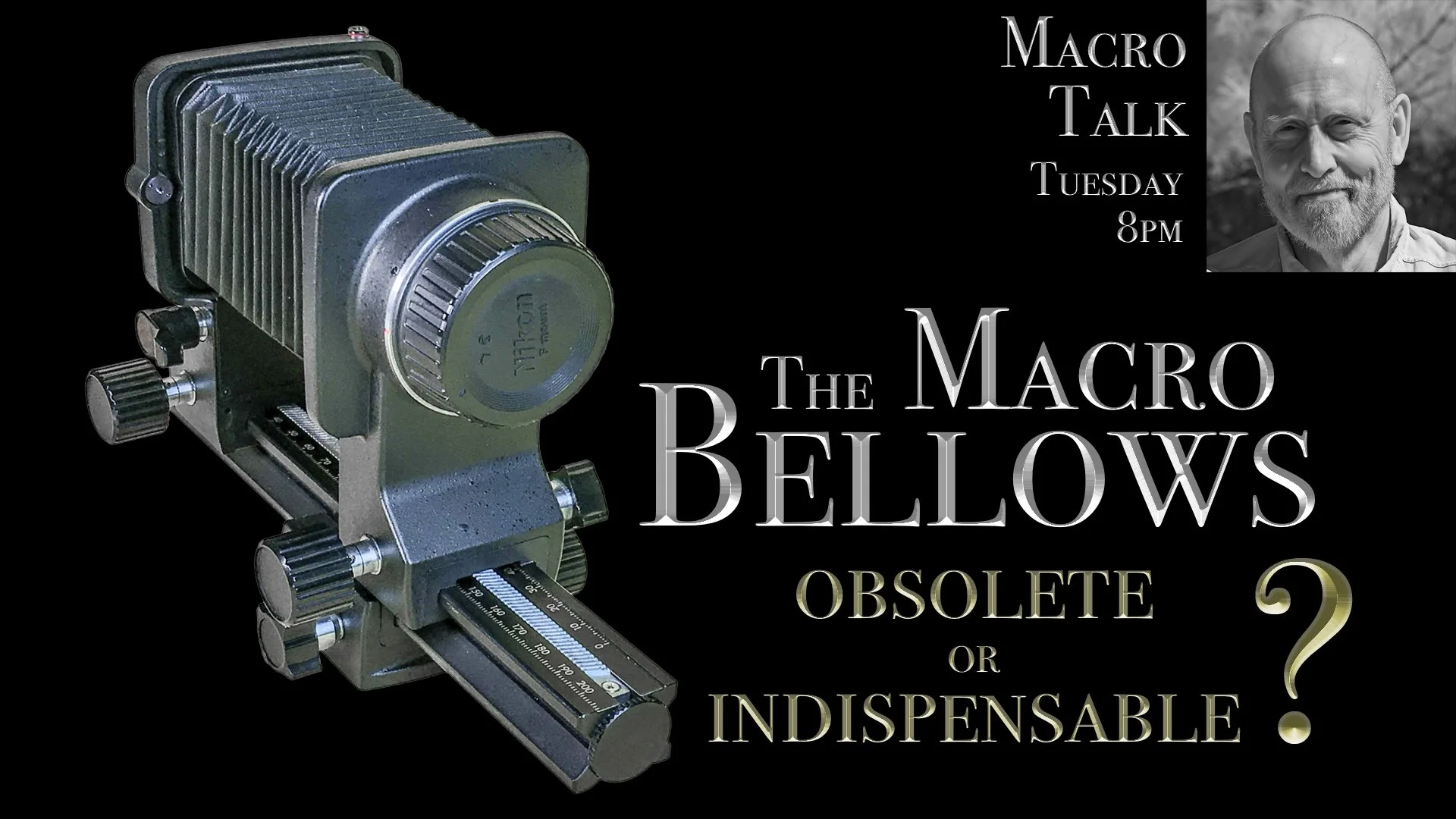
My livestreams this week are not following a particular theme - they are subjects that have come up in conversation and strike me as interesting enough to warrant a closer look. On Tuesday, for example, I am going to revisit the bellows and come at it from a slightly different angle. This will be useful, I hope, for beginners and seasoned experts alike as I will start out by explaining when and why bellows is the best choice for extension. I will compare tube extension with bellows work and talk about the criteria I use to decide on which to use. Then I will talk about the different bellows available and how they compare in terms or features, durability, and cost. I will also discuss some of the less typical ways the bellows are used in modern photography, including rear-bellows focus and infinity focus calibration. Lastly I plan to demonstrate how to set up a bellows for internal lens mounting and show my setup for rear-bellows focus. I think it should be interesting and a lot of fun. You can join the livestream using this link - https://youtube.com/live/TgSTcPVXrB4?feature=share


On Thursday in Macro Talk Too, I am planning to do a 2025 update on the global insect market. With winter right around the corner, this is the time of year that many of us start to think about winter projects. Especially those of us who now live in places that have real winters. I have been looking around the various vendors and markets around the world and have seen some availability and pricing trends that I think are worth discussing. I will also give some updated recommendations on the vendors that I think will be most responsive to the insect photographer’s needs this winter. I will make one caveat concerning this discussion - I may  have to delay it a little while if I do not get all the information that I am still waiting on. I don’t think I will need to postpone, but just wanted to alert you to the possibility. Either way, your link to the discussion is here … https://youtube.com/live/EpytPEaVlWQ?feature=share

Do you know what this photograph is of?


Saturday sees our first Pzoom of November, from 10AM until noon, and I already have a couple of items lined up. If you need time for an update or introduction, let me know through Patreon and I will sure to reserve your time. More information about the upcoming Pzoom can be found over on the Patreon website by visiting https://www,patreon.com/allanwallsphotography (which is also the place to go for more information on how to become part of our super-cool macro group).

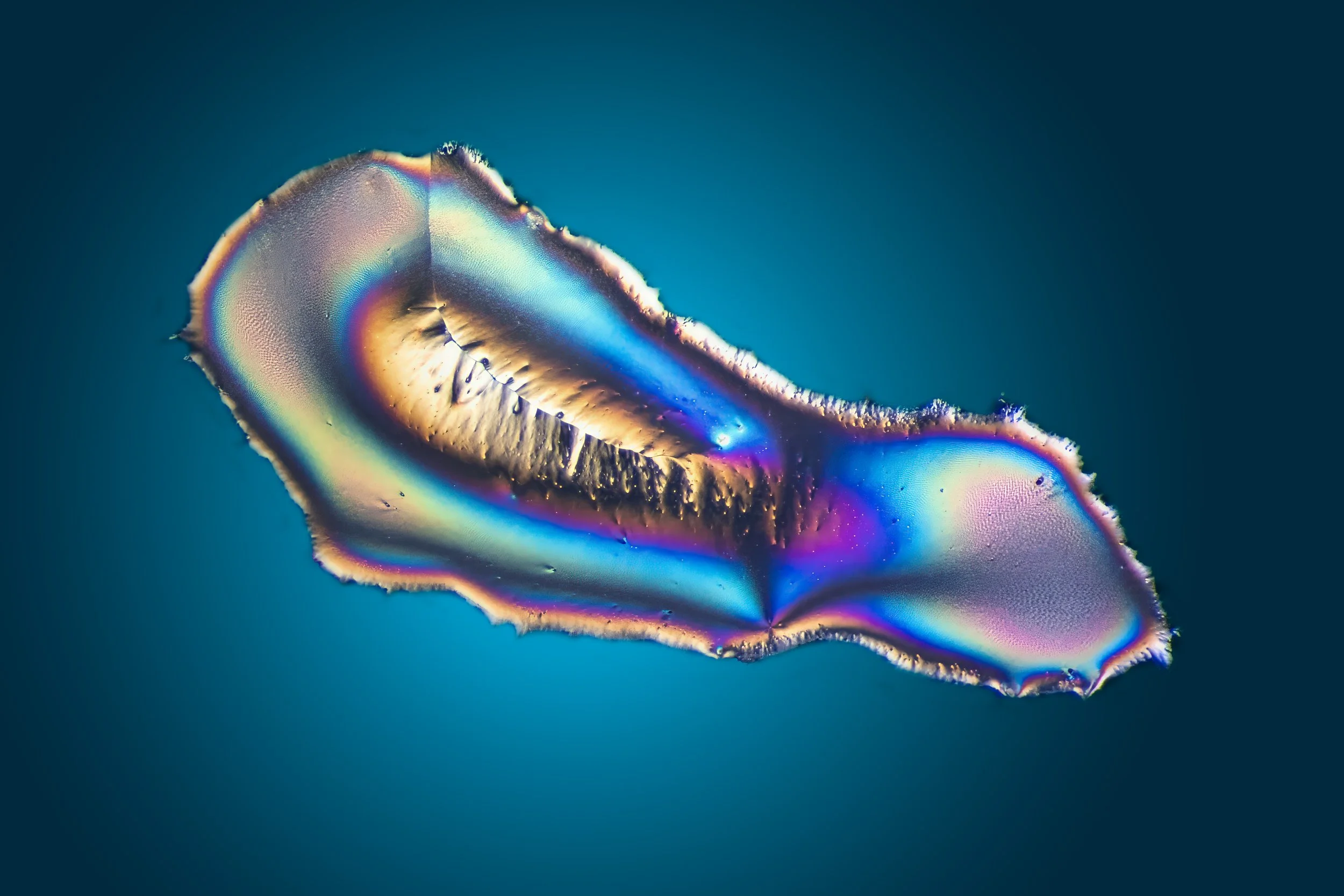
An unusually gorgeous crystal


Don’t forget that the Crystal Art zoom gathering takes place next Friday, November 14th, 2025, at 2PM - I will post the invitation in next week’s blog post. The group is all about making and photographing incredible birefringent crystals and is free for anyone interested in attending. It is a lot of fun well worth a visit (IMHO)!

playing around with the bellows

Hope to see you at one of this week’s events!

The XP3BIO - Instructions for Assembly and Use


Thank you and congratulations on becoming the owner of my Cross Polarizing Photography Platform for Birefringence Imaging and Observation (XP3BIO). Your model is the new and improved version and your device is number 1 of 10 in this very limited model. You cannot, to the best of my knowledge, purchase one of these viewers anywhere else on the planet!

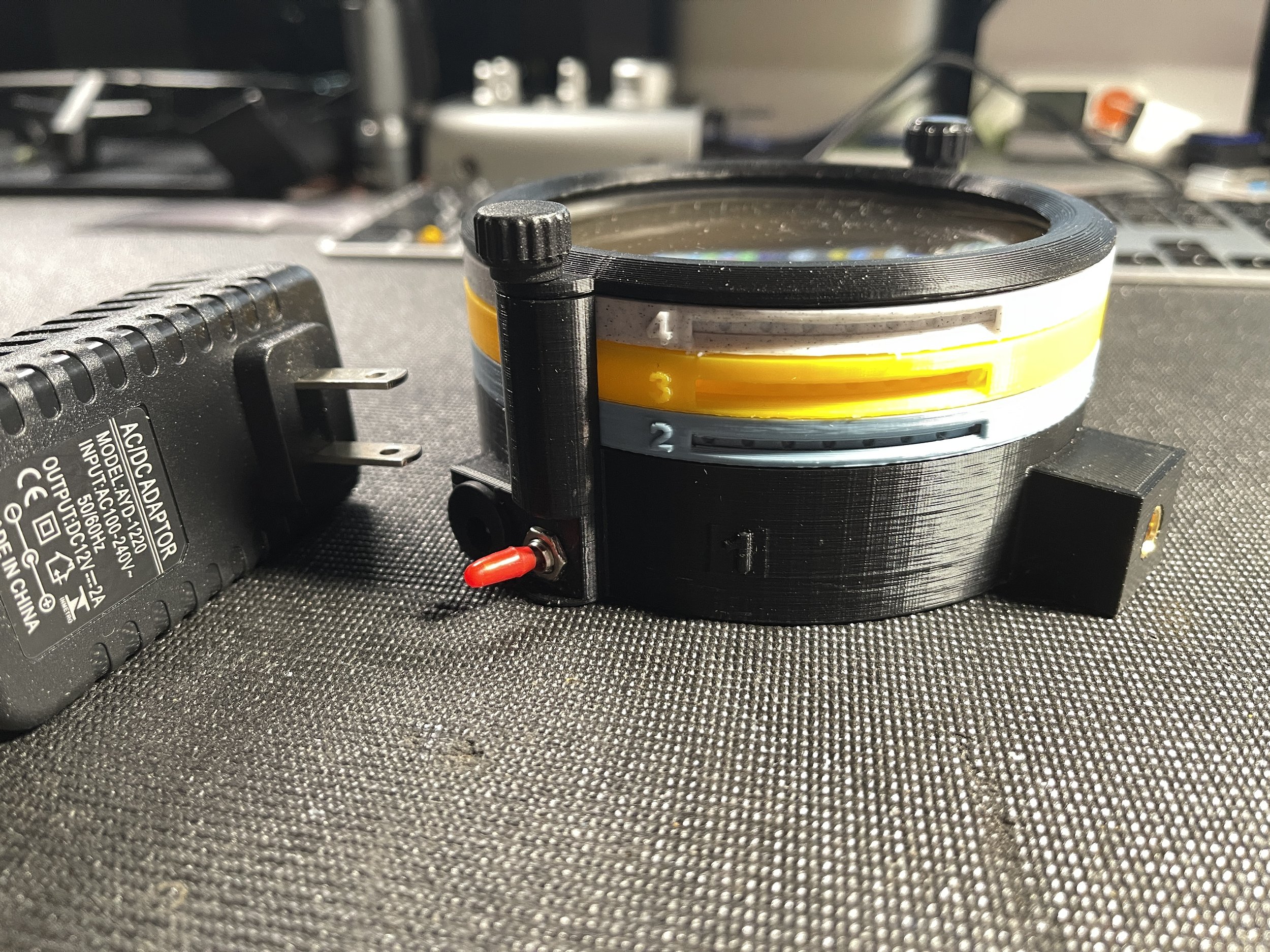
The viewer fully assembled and ready to use


This version of the platform represents a significant improvement over the first model in several ways. The viewer is smaller and lighter, but with a larger viewing area. It is designed to be used both in the horizontal position. With a new 1/4” 20 TPI mounting point, it can be secured to an articulating arm and positioned in almost any orientation. It is intended for viewing and/or photographing birefringent crystals grown on microscope slides and such slides can be locked into position on the specimen cassette to ensure they do not move or fall from the cassette during use. It contains a powerful light source and two layers of high quality linear polarizing material, along with a built-in diffusion layer and an empty filter cassette for addition of an optional retarder (wave plate), useful for viewing weakly birefringent material. I have included a brand new power supply, matched to the current requirements of the viewer. As an added bonus, I have prepared a sample slide (Acetanilide and ascorbic acid in methyl ethyl ketone) and installed it in the viewing position on the yellow specimen cassette. In the next section I will explain the purpose of each level and provide detailed instructions on how to use the device.

The colors are all wrong but fusion is not letting me change them


The viewer is made up of 4 separate levels, held in place by a cap ring secured with a pair of thumbscrews. The cap ring and levels 2-4 can be removed from the base (level 1) by removing the thumbscrews. Each level can only be mounted in one rotational orientation - do not try to force a level into the assembly without aligning the side pins with the receiving grooves on the  upright extensions from the base.

The cassettes, in levels 2, 3 and 4 are freely rotatable through 360º by inserting the point of  pen or pencil through the groove on the side of each level to engage with the  circular depressions around the cassette perimeter. Each level and the cassette corresponding to that level are color coded and numbered. They should always be mounted onto the base (level 1) in the same order (2-3-4-Cap Ring).


Level 1 - the base layer - really black, not green

Level 1 - the base layer - color black - this layer contains the light source, wiring, 12V power socket and switch. When plugged in to the 12 volt power supply, the device is activated by showing the red switch. The Base Level also contains a cassette that holds a layer of diffusion filter material below and a layer of linear polarizing filter material above. The black cassette in the base is not accessible during use and it is not necessary to rotate this cassette during use. Avoid handling the level 1 cassette to prevent smudging, which could impact the quality of images photographed using this platform. This cassette may be removed to access the light source and wiring within the base layer. Not that the base layer has two vertical posts, with a brass insert at the top of each post. One post has a single square groove on its inward oriented face, while the other has a pair of round grooves on its inward facing surface. These grooves correspond to the vertical ridges visible on the perimeter of levels 2, 3, and 4. These insure proper orientation of the upper levels and prevent rotation off the level housings during rotation of the cassettes. The base level has a cubic prominence into which a brass thread insert has been installed. This allows for mounting of the assembled device on an articulating arm, which may be used to aid in positioning of the device during use. The insert accepts a standard 1/4”, 20TPI screw.

Actually pale blue, this is the 2nd layer, for a wave plate (optional)


Level 2 - the Retarder Level - Color Blue - this level is included for mounting an optional retarding filter or wave plate. The device is shipped without a retarding filter installed in the Level 2 cassette. A circular  retarding filter with a diameter of 100 - 102 mm, may be installed in the cassette and held in place by 2-3 drops of hot glue, or other adhesive. Make sure the glue has dried completely before installing the cassette in the level 2 housing - failure to do so may prevent rotation of the retarder plate during use. During normal use, this level and its cassette may be left empty. The addition of a wave retarder is not required for viewing the majority of common birefringent crystals.

Actually yellow - both the housing and the cassette

Level 3 - the  Specimen Level - Color Yellow - This level is designed to securely hold a glass microscope slide in one of two common sizes - 25mm x 75mm or 50mm x 75mm. The detents for each size slide are oriented perpendicular to each other, so that only a single slide may be mounted at a time.

Note the tiny retaining tabbe for each slide

At each end of the detents are either one or two tiny retaining tabs. To mount a specimen slide, the slide should be inserted beneath the paired tabs and lowered into the detent while gently squeezing the cassette on an axis perpendicular to the long axis of the slide. This will provide just enough clearance for the opposite end of the slide to fall into the detent, after which the lateral pressure is relaxed causing the single tab to engage with the slide, holding it firmly in position and preventing any movement of the slide during positioning or viewing. The slide is removed by gently squeezing the yellow cassette while raising one end of the slide (the end with a single tab) and pulling it forward, out of the slide holder. ***Care is required to avoid slide breakage. This cassette can also be rotated to adjust subject framing and composition.

Meant to be light gray - the second polarizer


Level 4 -  The Analyzer Level - Color Grey - This level is used to house the second polarizer in the system. It is this filter that is rotated to achieve the desired level of cross polarization (the first polarizer is fixed). This cassette is also rotated using the tip of a pen or pencil, inserted into one of the round depressions on the circumference of the  cassette. When the second polarizer is perfectly positioned, perpendicular to the polarizing axis of the first polarizer, all light will be extinguished except for that being refracted by the birefringent material. Note that this is the last layer at the top of the device and that it is prone to damage or the accumulation of dust and other debris. When not in use the device should be stored in a closed box to prevent damage to the polarizing film.

The top ring holds everything together


Level 5 - The Cap Ring - Color Black - this is not a functional level and serves only to secure all the lower  levels within the device, allowing it to be positioned in any orientation without movement of the component parts. The thumb screws must be used to secure the device when in use. I have recently replaced the original screws with much shorter fasteners that allow rapid entry to the stack and access to the slide cassette. There should be no reason to dismantle the levels except to change the subject slide. The slide cassette is easily accessible and can be removed simply by removing the Cap Ring and the Level 4 housing. It is not necessary to remove the Level 3 housing to  change the slide. Removal of the cassette will suffice.

A complex crystal photographed on the XP3BIO


Suggestions for use of the XP3BIO

  • Until you have some experience with the equipment, avoid using slides that still have unevaporated solvent present. Some of the solvents used could damage filters or the device itself.

  • Use only the provided 12 V power supply to avoid damage to the LED panel.

  • Do not over-tighten components attached to the brass insert on the front of the unit.

  • Never touch the filters - dirt and debris may lower image quality.

  • In some circumstances you may wish to further diffuse the light from the powerful COB light source. To do this cut a circle of 200mm diameter and place it on the shelf holding the Level 1 (base) filter cassette. Remember to remove when no longer needed.

  • Do not place anything other than a wave plate/retarding filter into the Level 2 (blue) cassette. A diffuser will lessen the effectiveness of the polarizing layer.

  • You may wish to add small rubber bumpers to the base and/or edge facings to prevent slipping.

  • Never leave the device turned on  when it is left unattended. I have tested each unit and the COB LED does not produce enough heat to effect the housing or filters. But it is prudent to err on the side of caution.

  • The device works better when the cap ring is in place and thumbscrews are secured - without this locking layer it is possible to encounter difficulties when trying to rotate cassettes. Rotating the housing with the cassette may make it more difficult to maintain a particular level of cross polarization.

  • To view a specimen, remove both thumbscrews and lif off the cap ring. Carefully pull up on the second polarizer level (Level 4) and remove the housing and the cassette with polarizing filter. Then carefully remove only the slide holder cassette, leaving the housing in place. Gently squeeze the sides of the cassette to release the slide from the retaining tabs. Position one end of the new slide under the double tabs, then squeeze the slide holder on each side of the slide to raise the tab slightly and allow the slide to drop under the single sealing tab. Return the cassette to the yellow Level 3 housing. Replace the Level 4 housing taking care not to touch the polarizing filter and making sure that the ridges on the perimeter of the housing engage with the slots in the upright Level 1 alignment posts. Replace cap ring and tighten the thunbscrews before placing the viewer under your microscope or on your photography platform. Use an articulating arm secured to the viewer at the square mounting post if you wish to use the viewer at an unusual angle. Turn on the viewer’s light with the small toggle switch. Carefully rotate the yellow subject level cassette to the desired orientation for your composition. Then rotate the Level 4 cassette to maximize the polarizing effect. If no wave plate is being used it should be possible to completely extinguish all light except that which is being redirected by the birefringent material on the specimen slide


total extinction of ambient light when polarizing layers are 90º out of phase

In closing, thank you for purchasing this device! I am thrilled that you have sufficient faith in my “maker” skills to part with some of your hard-earned monies to acquire an XP3BIO. If you are happy with the device, please tell your friends, but if you are not, please tell me. I have made many improvements to the original design, but I am perfectly willing to believe that there are many more still to be made. If you think of one, please let me know!


I hope you enjoy using this invention as much as I have and I hope to see many of your crystal images in the future.

Allan